VIP Users
What are VIP users?
Among users that are pre-registered and set in ADB2C by the company, the VIP users are a selected subset (typically no more that 100 per project) that:
- The app identifies by using a special claim in their token.
- View content without restrictions: no entitlement check.
- Don't see the Billing row in the account section.
How to set a user as VIP?
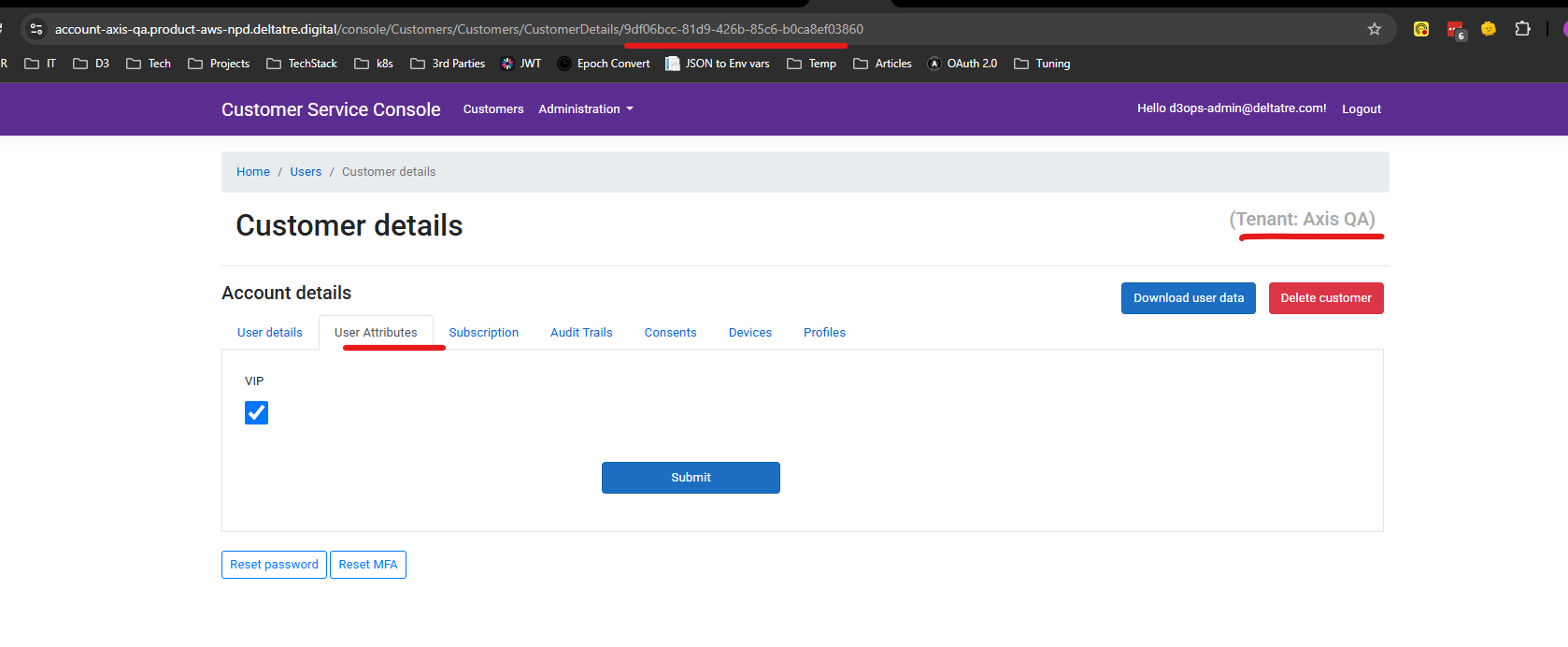
- Access the Customer Care Console
- Select by email the user to set as VIP.
- In the Account details window, select the User Attributes tab.
- Chech VIP:
How do apps manage VIP users?
-
When calling the
/authorizeendpoint, the app must pass an additionaluser.attributesscope: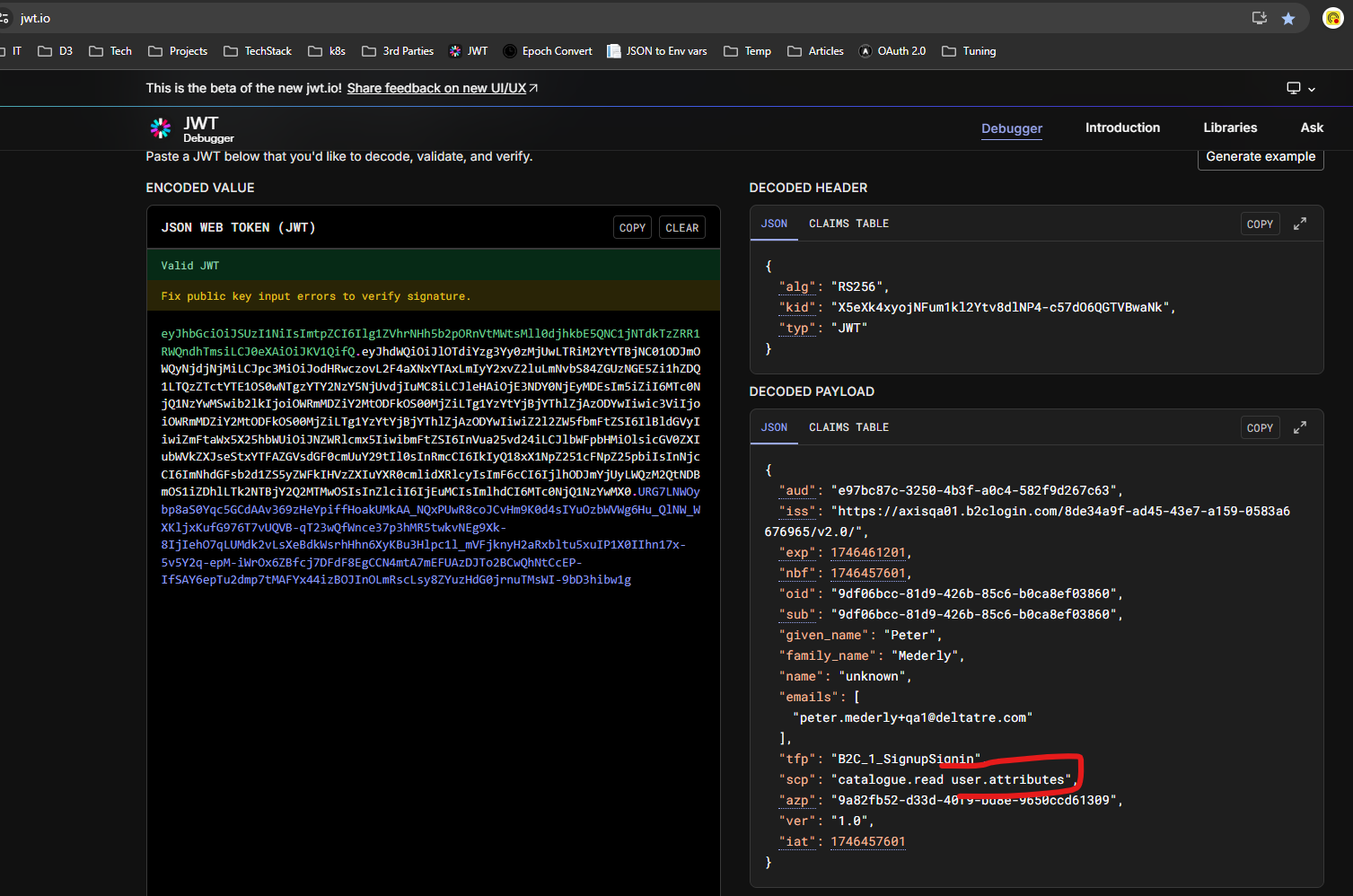
-
The VOLT token must have the new
attrsclaim.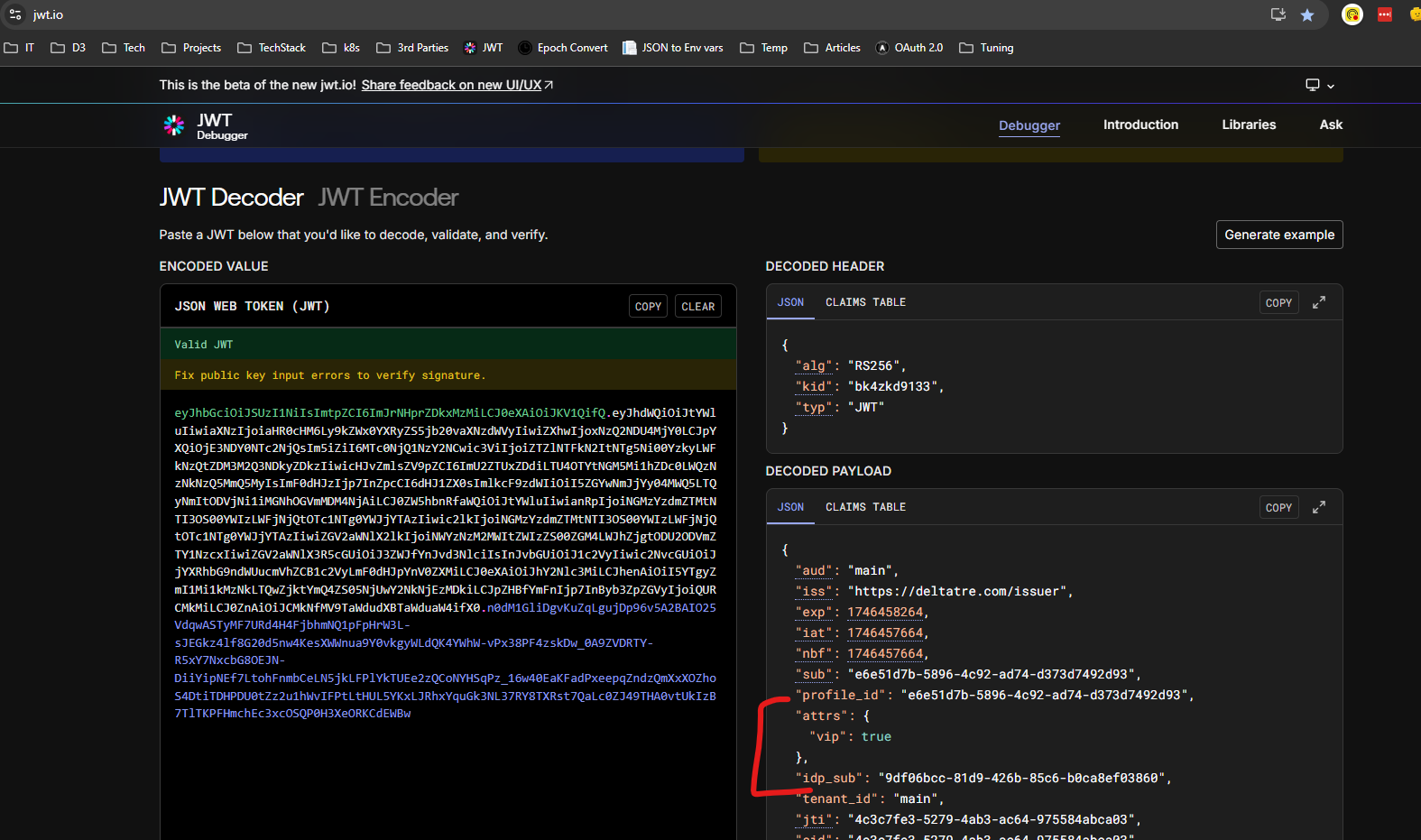
If the
vipkey is missing or there is an error, the app should default to the standard (non-VIP) user flow.For more on user attributes, see: User attributes documentation
-
The
.envfile must set two dedicated environment variables:CLIENT_IDENTITY_ADB2C_SCOPE_VIP_USER_ATTRIBUTE: Value of user.attributes scope to be passed in the /authorize call)CLIENT_IS_VIP_USER_ATTRIBUTE_ENABLED: Flag to indicate if user.attribute should be passed in the scope to enable the VIP user feature)
-
In the
selectIsRestrictedselector, a dedicated condition bypasses normal entitlement checks:
-
In the
usePageEntryPropshook (checked for "A2" template because only the Billing Section uses A2 templates), a dedicated check hides the Billing section: