Font Override Workflow
To override fonts in your project, follow these steps:
-
Define Font Face
- Go to
project-repo/src/shared/style/_fonts.scss. - Define your custom
@font-facerules here for the fonts you want to use.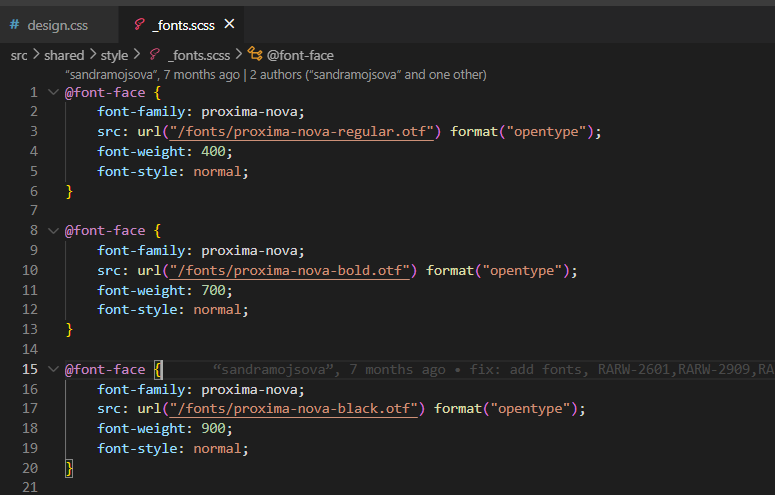
- Go to
-
Add Typography Variables to design.css
-
Open your project's
design.cssfile (usually atproject-repo/src/design.css). -
Add the following typography CSS variables:
/* Typography */--font-family-body: [your-font-face-name], sans-serif !important;--font-family-title: [your-font-face-name], sans-serif !important;Example
/* Typography */--font-family-body: proxima-nova, sans-serif !important;--font-family-title: proxima-nova, sans-serif !important;
-
-
Copy Typography Variables from Reference
- Go to axis-app-web designSystemVariables.css.
- Copy all variables that start with
--typography-*.
-
Paste and Update in Your Project
- Paste the copied
--typography-*variables into your project'sdesign.css. - Update the values as needed (for example, change
font-familyto your custom font). - Add
!importantto each typography variable to ensure your overrides take precedence.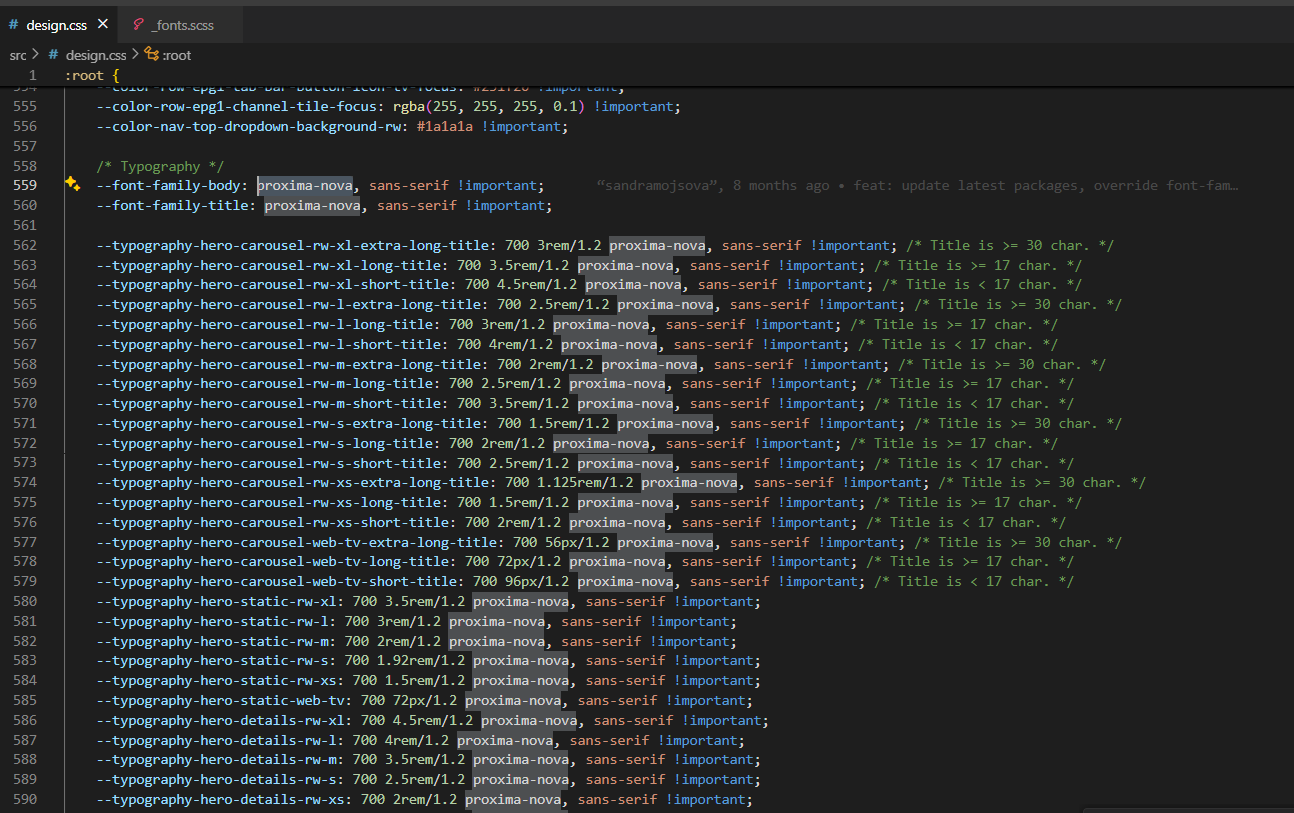
- Paste the copied
-
Run the Project
- Start your project with:
yarn start
- You should now see the theme updated with your project's custom fonts.
- Start your project with: